Disclosure: As an Amazon Associate I earn from qualifying purchases. This article contains an affiliate link, which may earn us a commission at no extra cost to you.
A compact keyboard is usually the better fit for a small desk when you rarely use a number pad and want the mouse closer to your body. A full-size keyboard is still the practical choice for frequent numeric entry, dedicated navigation keys, or workflows that depend on a familiar complete layout. The best size is the smallest layout that keeps the keys you use every day.
Keyboard percentages are rough layout categories, not exact dimensions. Two keyboards sold as 75% can have different widths, key spacing, and key arrangements. Always check the published measurements and a clear layout image before buying.
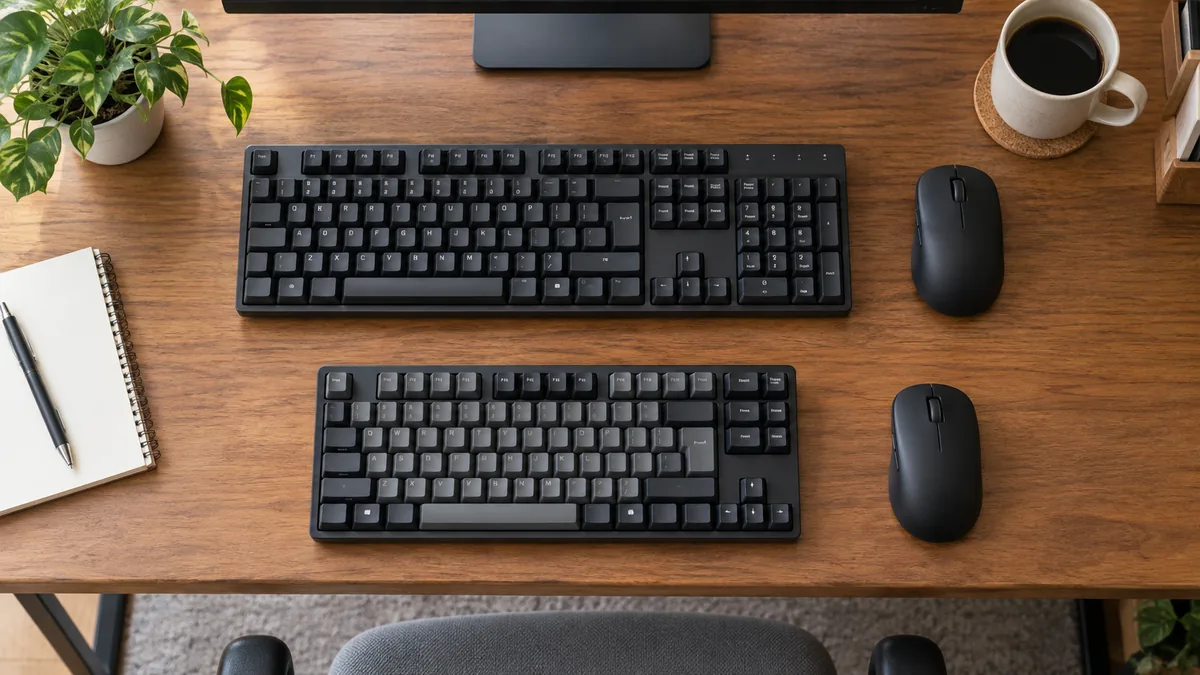
Quick Keyboard-Size Comparison
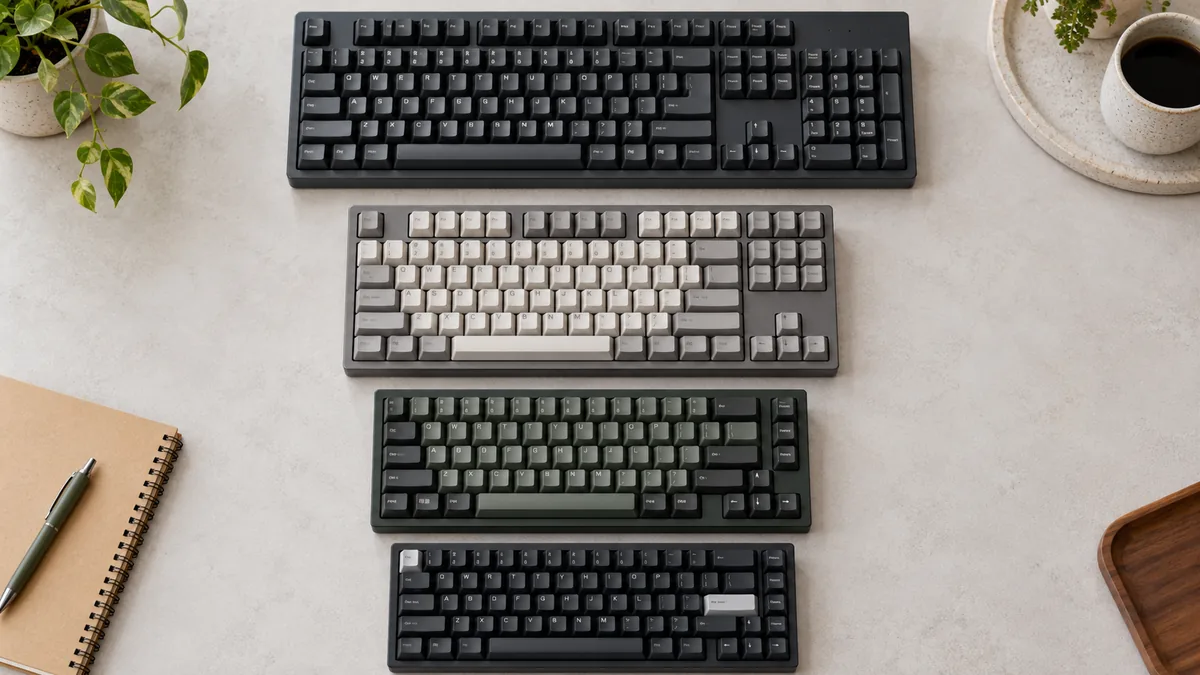
| Layout | What it usually keeps | Best for | Main tradeoff |
|---|---|---|---|
| Full-size / 100% | Function row, navigation cluster, arrows, number pad | Spreadsheets, accounting, data entry, familiar office use | Largest footprint and widest mouse reach |
| 96% / 1800 compact | Most full-size keys in a compressed arrangement | Users who need a number pad but want less width | Tighter spacing and less separation between clusters |
| TKL / 80% | Function row, navigation keys, arrows; no number pad | General work, gaming, first compact keyboard | No dedicated number pad |
| 75% | Function row and arrows in a tighter layout | Small desks, portable setups, mixed work | Compressed navigation area may take adjustment |
| 60-65% | Main typing keys; some keep arrows | Maximum mouse space and portability | More shortcuts and function layers |
Start With the Keys You Actually Use
List the keys you use during a normal week. Do you enter long columns of numbers? Use Home, End, Page Up, and Page Down repeatedly? Depend on function keys in software? Use dedicated media controls? A smaller board saves space only if the missing keys do not slow your work.
If you use the number pad occasionally, a separate wireless or wired numpad can be stored until needed. That can provide a compact daily layout without giving up efficient numeric entry. It also lets you place the numpad on either side.
Why Keyboard Width Matters on a Small Desk
A wide keyboard pushes the mouse farther to the side. On a narrow desk, that can also force the keyboard off-center or leave no room for a notebook. Removing the number pad may let you center the letter keys with the monitor and keep the mouse closer.
OSHA recommends placing the keyboard and mouse so the upper arms stay close to the body and the wrists remain straight. Keyboard size is only one part of that arrangement, but a smaller footprint can make those positions easier to achieve when surface width is limited.
Clear everything that does not need to live in the primary work zone. Our guide to organizing a small desk with no drawers can help before you replace a working keyboard solely to fix clutter.
Full-Size Keyboard: Who Should Keep It?
Keep a full-size board if numeric entry is central to your work, you regularly use the navigation cluster, or switching layers would add friction. Familiarity has value. A complete layout also makes sense for a shared workstation where different users expect standard key locations.
The solution may be a better desk layout rather than a smaller keyboard. Move seldom-used accessories, use vertical storage, or choose a narrower mouse pad. A monitor stand with storage can create a place to slide the keyboard away when you need writing space.
TKL and 75%: The Practical Middle Ground
TKL removes the number pad while preserving a familiar navigation cluster, arrow keys, and function row. It is often the easiest compact layout for office users because most keys stay where expected.
A 75% keyboard compresses those functions into a narrower body. It can save more width but may use unusual key sizes or positions. Check whether Delete, Home, End, and Page keys are dedicated or behind a function layer. Look at the exact layout, not only the percentage label.
60% and 65%: Maximum Space With More Shortcuts
A 60% board removes the function row, navigation cluster, and usually dedicated arrow keys. A 65% board typically restores arrows and a small group of navigation keys. Both can free substantial mouse space and travel easily.
They are less suitable when your job relies on shortcuts that become multi-key combinations. Before choosing one, simulate the missing keys for a day: avoid the number pad and use function-layer equivalents on your current keyboard. If the workflow becomes irritating, choose TKL or 75% instead.
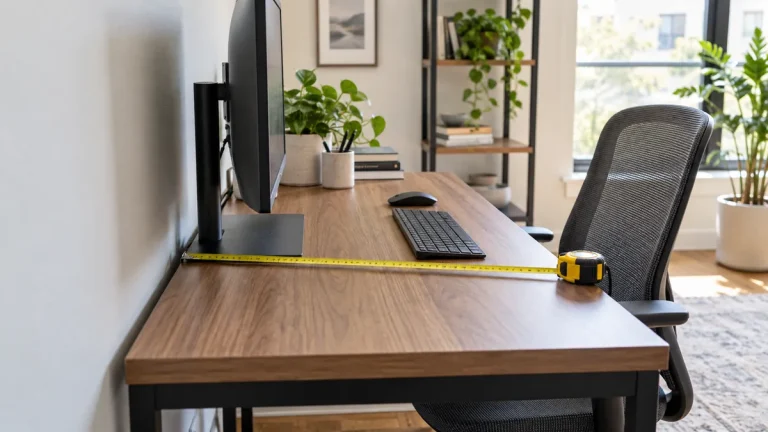
Measure More Than Keyboard Width
- Width: Check the space from the left edge of the keyboard to the farthest normal mouse position.
- Depth: Include the keyboard, palm rest, and the space needed in front of it.
- Height: A tall keyboard may feel uncomfortable without an appropriate setup, even if it is narrow.
- Cable exit: A fixed cable or connector can add depth near the monitor stand.
- Mouse space: Measure your real movement area, especially for design or gaming work.
A large desk mat can visually define the keyboard and mouse zone, but the mat must fit the desk. Review our desk mats for small home offices before choosing a size.
Wired or Wireless for a Small Desk?
A wireless keyboard removes a cable from the work surface and is easier to move when the desk changes tasks. It adds battery or charging management and may require a receiver. A wired keyboard avoids charging and can be simpler for a fixed setup, but the cable needs a clean route.
Connection type does not determine layout quality. Choose the size first, then decide whether the convenience of moving the keyboard outweighs the charging and compatibility considerations.
Common Buying Mistakes
- Buying a 60% board for appearance without testing function layers.
- Assuming every keyboard with the same percentage has the same dimensions.
- Removing the number pad when numeric entry is a daily task.
- Ignoring non-standard key sizes and replacement-keycap compatibility.
- Choosing by width but forgetting keyboard height and palm-rest depth.
- Using a compact keyboard to hide a broader desk-organization problem.
Practical Recommendation
For most small home offices, TKL is the safest first step down from full-size because it frees mouse space while keeping a familiar layout. Choose 75% when every inch matters and you can accept tighter key placement. Choose 60-65% only when portability and mouse room matter more than dedicated keys. Keep full-size when the number pad and navigation cluster earn their space through regular use.
After deciding which keys you need, compare compact and TKL keyboards on Amazon. Verify the exact dimensions, layout, connection type, operating-system support, and return terms.
Related Guides
- Best desk organization products for small home offices
- Laptop stands for small desks and home offices
- Cable-management ideas for a cleaner desk
Leave a Reply