Find the best desk lamp for video calls and eye comfort with dimming, color temperature tips, glare control, and small home office setup advice.
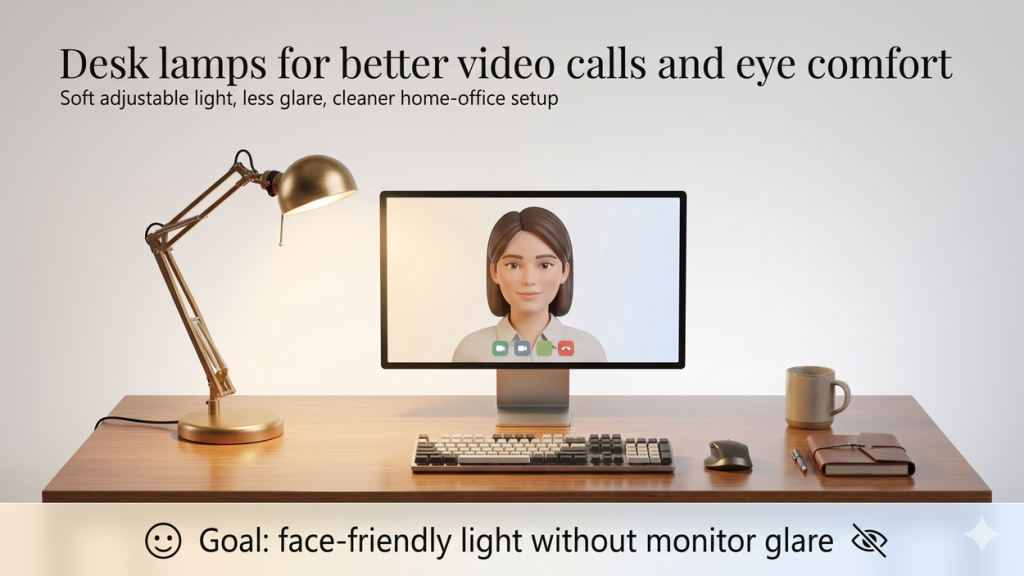
A good desk lamp can make your home office feel calmer, help your face look clearer on video calls, and reduce the harsh screen glare that builds up during long work sessions. The best desk lamp is not always the brightest lamp. It is usually the one that gives you adjustable, diffused light you can place slightly off to the side of your screen.
Affiliate disclosure: As an Amazon Associate, I may earn from qualifying purchases. This does not change the price you pay, and it helps support Intuit Chaos.
Planning before shopping: Use our Desk Lamp Buying Guide for Video Calls and Late Work to compare beam shape, positioning, dimming, glare control, and power reach before selecting a model.
Quick Picks: Which Desk Lamp Type Should You Choose?
If you want the simplest answer, start with the problem you are trying to fix.
| Need | Best lamp type | Why it helps |
|---|---|---|
| Better video calls | Adjustable LED desk lamp with dimmer | Lets you soften face shadows without flooding the whole room |
| Small desk | Clamp desk lamp | Saves surface space and is easier to position |
| Less monitor glare | Side-positioned lamp or monitor light bar | Keeps direct light out of your eyes and screen |
| Reading and late work | Warm dimmable lamp | Feels more comfortable in the evening |
For a broad starting point, you can browse desk lamps for video calls and eye comfort on Amazon.
Why Lighting Matters for Video Calls and Eye Comfort
Most home office lighting problems come from uneven light. A bright ceiling light can make your face look flat. A window behind you can make your camera darken your face. A lamp pointed straight at the monitor can create glare that makes your eyes work harder.
A good desk lamp solves these problems by giving you control. You can move the light, lower the brightness, warm the color, or angle the lamp away from the screen. That control matters more than buying the most powerful lamp available.
What to Look For in a Desk Lamp for Video Calls
1. Adjustable Brightness
Choose a lamp with several brightness levels or smooth dimming. Video calls usually need less light than people expect. If the lamp is too bright, your face can look washed out, and the room can feel uncomfortable during long calls.
A dimmer is especially useful if your room changes throughout the day. Morning window light, afternoon shade, and evening darkness all need different settings.
2. Color Temperature Modes
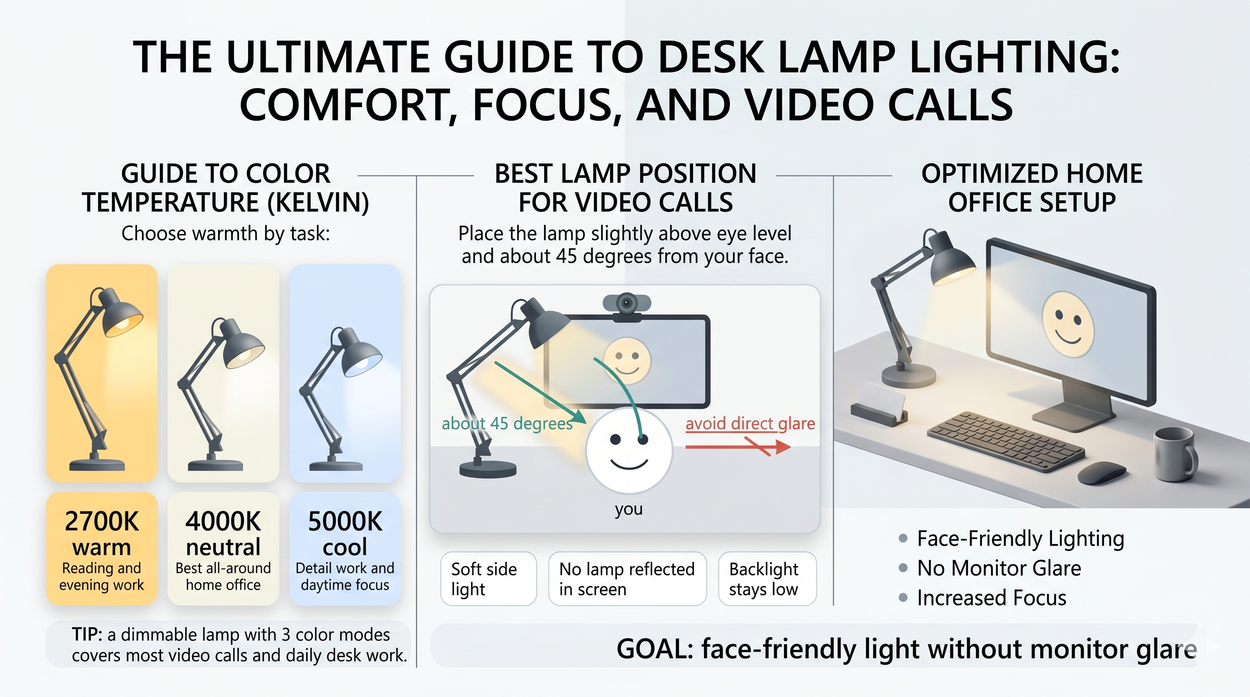
Many LED desk lamps offer warm, neutral, and cool settings. Neutral light around the middle range is usually easiest for daily work and video calls. Warm light feels better for reading at night. Cool light can help with detail work, but it may feel harsh if used too late.
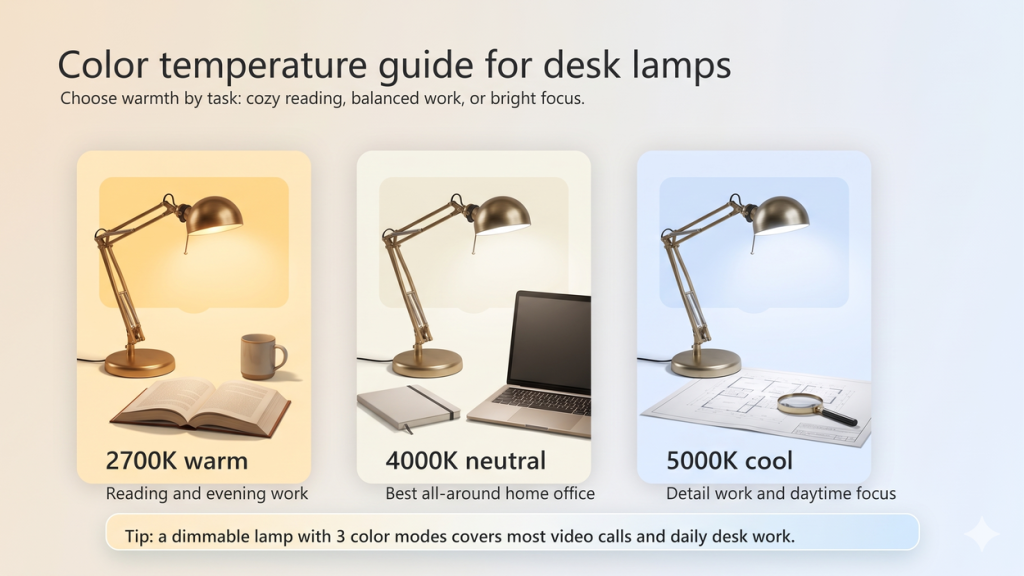
If you only buy one lamp, look for a dimmable model with at least three color modes. You can compare options here: adjustable LED desk lamps with dimmers on Amazon.
3. Diffused Light Instead of Bare Bright LEDs
For eye comfort, diffused light is usually better than a small exposed bulb. Diffusion spreads the light across a wider surface, which helps reduce sharp reflections on your monitor and harsh shadows on your face.
Look for lamp heads that use a frosted panel, wide light bar, or shaded design. If the product photo shows individual bright LED dots, it may feel sharper unless the lamp has a good diffuser.
4. Flexible Arm and Stable Positioning
Positioning is the secret feature. A lamp that cannot move much may force you to choose between glare, shadows, or wasted desk space. A flexible arm, pivoting head, or clamp base gives you more control.
Clamp lamps are especially useful for compact desks. They leave room for notebooks, keyboards, and accessories. If your workspace is tight, see this related guide: Best Monitor Stands With Storage for Small Desks.
Best Placement for Video Calls
Place the lamp slightly above eye level and about 45 degrees from your face. This usually gives a natural look without shining directly into your eyes. If your lamp is on the same side as a window, lower the brightness so one side of your face is not too bright.
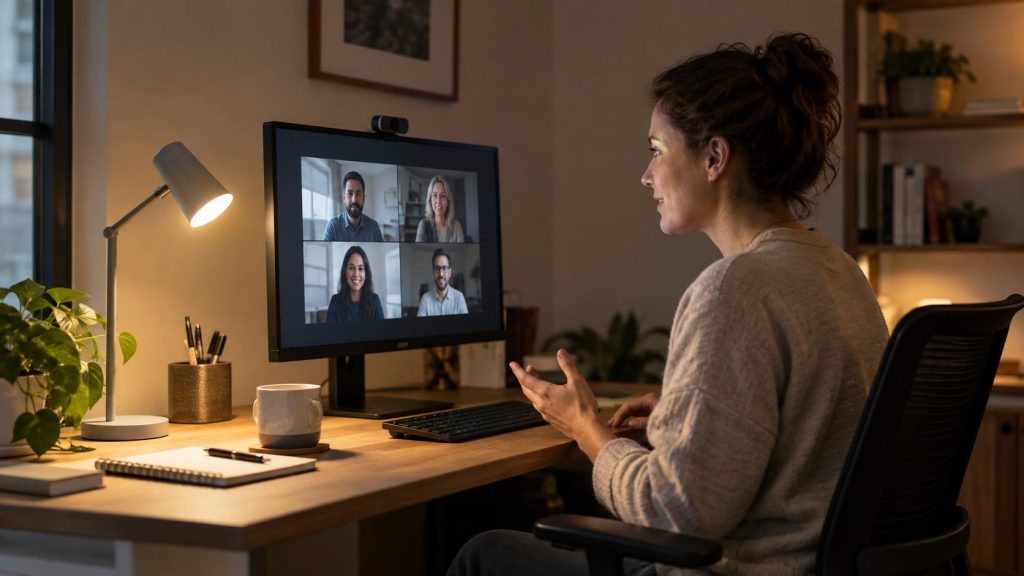
Try not to aim the lamp at the monitor. If you can see the lamp reflected on the screen, move it to the side, raise it slightly, or reduce the brightness. The goal is soft side light, not a spotlight.
Desk Lamp vs Ring Light for Home Office Calls
A ring light can make video calls look brighter, but it is not always the best everyday desk solution. Ring lights are built mainly for camera-facing light. Desk lamps are more useful for mixed work: video calls, reading, writing, planning, and general desk tasks.
If you make videos or take frequent client calls, a small soft panel or ring light can be helpful. But for most people, a flexible LED desk lamp is easier to live with because it works even when the camera is off.
When a Monitor Light Bar Makes Sense
A monitor light bar can be useful when your desk is very small or you want light on your keyboard without taking desk space. It sits on top of the monitor and points downward. The best ones are designed to reduce screen glare, but placement still matters.
If you often work at night and hate clutter, you can compare monitor light bars for home offices on Amazon. If you want more setup ideas, read Top 10 Home Office and Smart Home Upgrades for 2026.
Best Desk Lamp Features Worth Paying For
- Dimming: Useful every day, especially for calls and evening work.
- Color temperature control: Helps one lamp work for reading, calls, and focus tasks.
- Adjustable arm: Makes it easier to avoid glare.
- Clamp base: Great for small desks and clean layouts.
- Memory setting: Saves your favorite brightness and color mode.
- USB port: Nice to have, but not essential.
For tight desks, a clamp desk lamp for home office use is often the most practical option.
Simple Setup Checklist
- Put the lamp slightly to the side of your monitor.
- Raise the light above eye level if possible.
- Start with medium brightness, then lower it until your eyes feel relaxed.
- Use neutral light for work and warm light for evenings.
- Check your video preview before calls and adjust the lamp angle.
- Move cables behind the desk or under the tabletop to keep the setup clean.
For a cleaner desk layout, see Cable Management Ideas for a Cleaner Desk Setup.
FAQ
What is the best desk lamp color for video calls?
Neutral white is usually the safest choice for video calls because it looks natural and does not make your face too orange or too blue. A lamp with adjustable color temperature gives you the most flexibility.
Should a desk lamp be behind the monitor?
Usually no. A lamp behind the monitor can create uneven lighting or make your camera darken your face. Side lighting is usually better for video calls and eye comfort.
Are LED desk lamps good for eyes?
LED desk lamps can be comfortable when they have dimming, diffusion, and adjustable positioning. Avoid staring directly into bright LEDs and reduce brightness when working at night.
Is warm or cool light better for home office work?
Neutral light is best for most daytime work. Warm light is better for reading or late evening tasks. Cool light can help with detail-focused work, but it may feel tiring if it is too bright.
Final Thoughts
The best desk lamp for video calls and eye comfort should be adjustable, dimmable, and easy to position. Start with soft side lighting, avoid screen reflections, and choose a color temperature that fits the time of day. A simple lamp can make your workspace feel much more comfortable without adding clutter.
For the broader home office setup, start with the pillar guide: Best Desk Organization Products for Small Home Offices. If you also read at night, you may like Best Rechargeable Book Light for Reading in Bed Without Waking Your Partner.
Leave a Reply