Affiliate disclosure: As an Amazon Associate I earn from qualifying purchases. This guide uses affiliate links to Amazon.com.
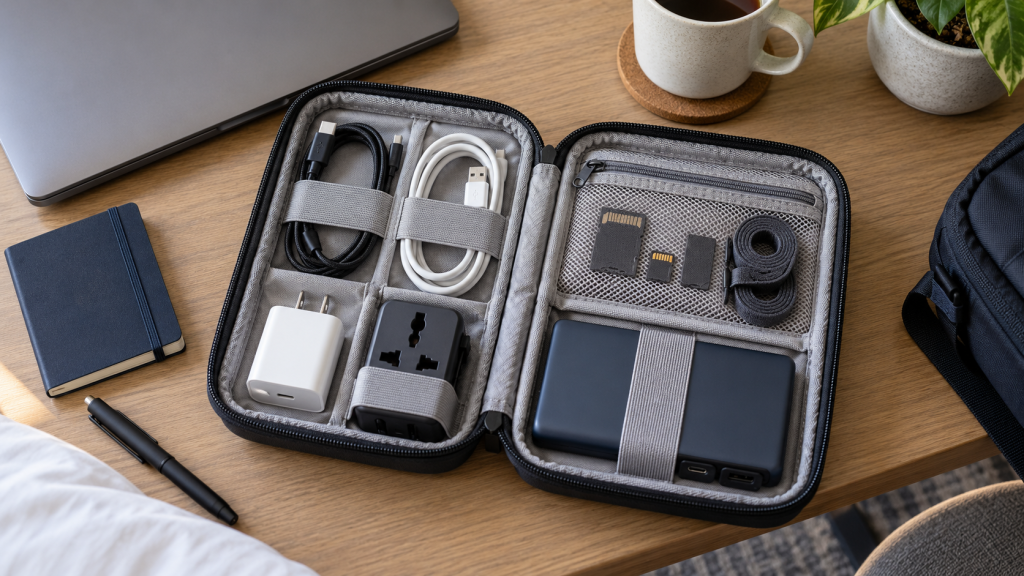
A travel tech organizer keeps chargers, adapters, cables, and small accessories visible when a bag is opened. The best setup is compact enough for the trip, easy to inspect before checkout, and arranged so essential charging gear can be reached without unpacking the whole bag.
Electronics organizer case
A good tech case has elastic loops, mesh pockets, and enough depth for a charger block. Choose a slim case for backpacks and a hard case when gear may be crushed in luggage.
Search electronics organizer cases on Amazon
Reusable cable ties
Cable ties stop cords from knotting together. They also make it easier to notice when a cable is missing before you leave a hotel or coworking space.
Search travel cable ties on Amazon
Power bank pouch
A power bank should not float loose next to keys or pens. A pouch protects ports and keeps the charging cable with the battery.
Search power bank pouches on Amazon
USB-C cable organizer
If most of your devices use USB-C, use one dedicated pouch or loop section for those cables. Separating USB-C from older cables reduces rummaging.
Search USB-C cable organizers on Amazon
FAQ
What should go in a travel tech organizer?
Pack only the cables and adapters used on that trip, plus one backup charging cable. Avoid carrying every cable you own.
Is a hard shell organizer worth it?
A hard shell is useful for checked luggage or camera-style gear. For a daily backpack, a soft slim organizer usually saves space.
Build the Kit Around Your Devices
List the devices you will actually use during the trip and write the connector beside each one. A phone, laptop, watch, headphones, and camera may require fewer cables than expected when several devices share USB-C. Pack by device and power requirement rather than taking every cable from a drawer.
- Choose a charger with enough output for the largest device you plan to charge.
- Check whether the destination requires a plug adapter or voltage converter.
- Carry one dependable backup cable for the connector used most often.
- Label similar-looking cables when their charging or data capabilities differ.
What to Look for in an Organizer Case
Start with the dimensions of the largest item, normally a charger or power bank. Elastic loops should hold cables without sharply bending the connectors. Mesh pockets are useful for adapters and memory cards, while a zippered pocket keeps very small items from escaping when the case is opened.
A case with two shallow layers is often easier to scan than one deep compartment. A light-colored interior can make black adapters easier to see. If the organizer will live inside a carry-on, choose a size that can be removed quickly during security checks and returned to the same location afterward.
Pack Power Banks Safely
Airline and security rules for spare lithium batteries can change, so check the current requirements for every carrier before travel. Keep a power bank where its ports cannot be crushed by hard objects, and do not pack a battery that is swollen, damaged, unusually hot, or recalled. Avoid loose metal items near exposed connectors.
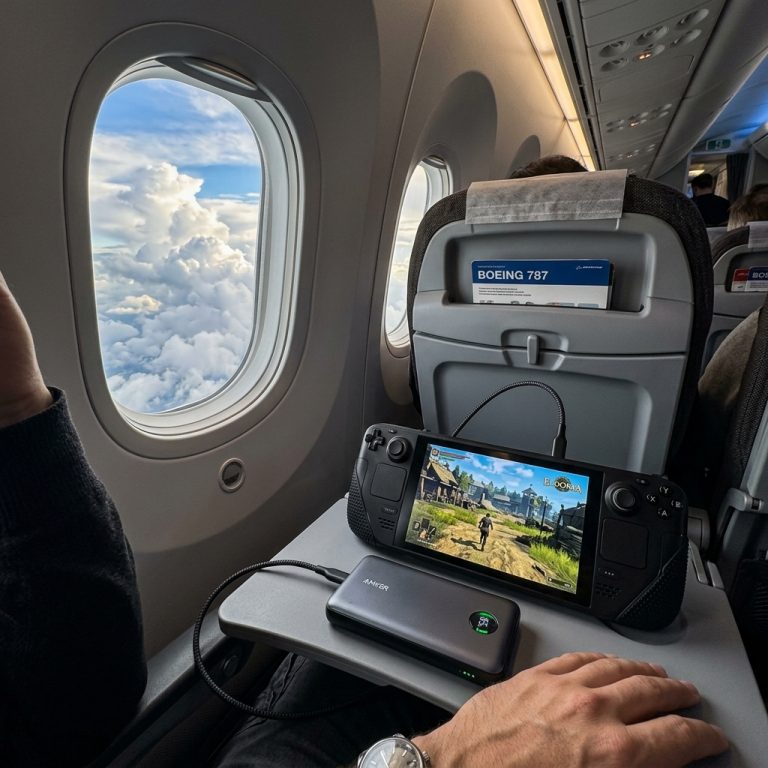
Capacity markings should remain readable because airport staff may need to inspect them. For long flights and gaming devices, compare charging output as well as capacity in our guide to power banks for Steam Deck travel.
Use a Consistent Packing Layout
Give every item a permanent position. Place frequently used charging gear on one side and occasional adapters on the other. Wind cables in a loose circle instead of folding them sharply, then secure them with reusable ties. A small inventory card inside the case can prevent leaving an adapter in a hotel socket or a cable beside the bed.
Pre-Departure Tech Check
- Charge the power bank and all essential devices.
- Test every cable with the device it is intended to charge.
- Download offline tickets, maps, and authentication backup codes where appropriate.
- Remove unnecessary memory cards or drives containing sensitive information.
- Count the items when packing and repeat the same check before leaving each location.
A travel organizer should reduce decisions, not become another heavy piece of luggage. When a cable or adapter has no planned use on the trip, leave it at home.

Leave a Reply