Category: Travel Tech

Portable tech organizers, charging accessories, and travel-friendly gear.
  • 5 Best Power Banks for Steam Deck on Long Flights in 2026

    5 Best Power Banks for Steam Deck on Long Flights in 2026

    Disclosure: As an Amazon Associate, I earn from qualifying purchases. This article includes affiliate links, which means I may earn a commission if you buy through them, at no extra cost to you.

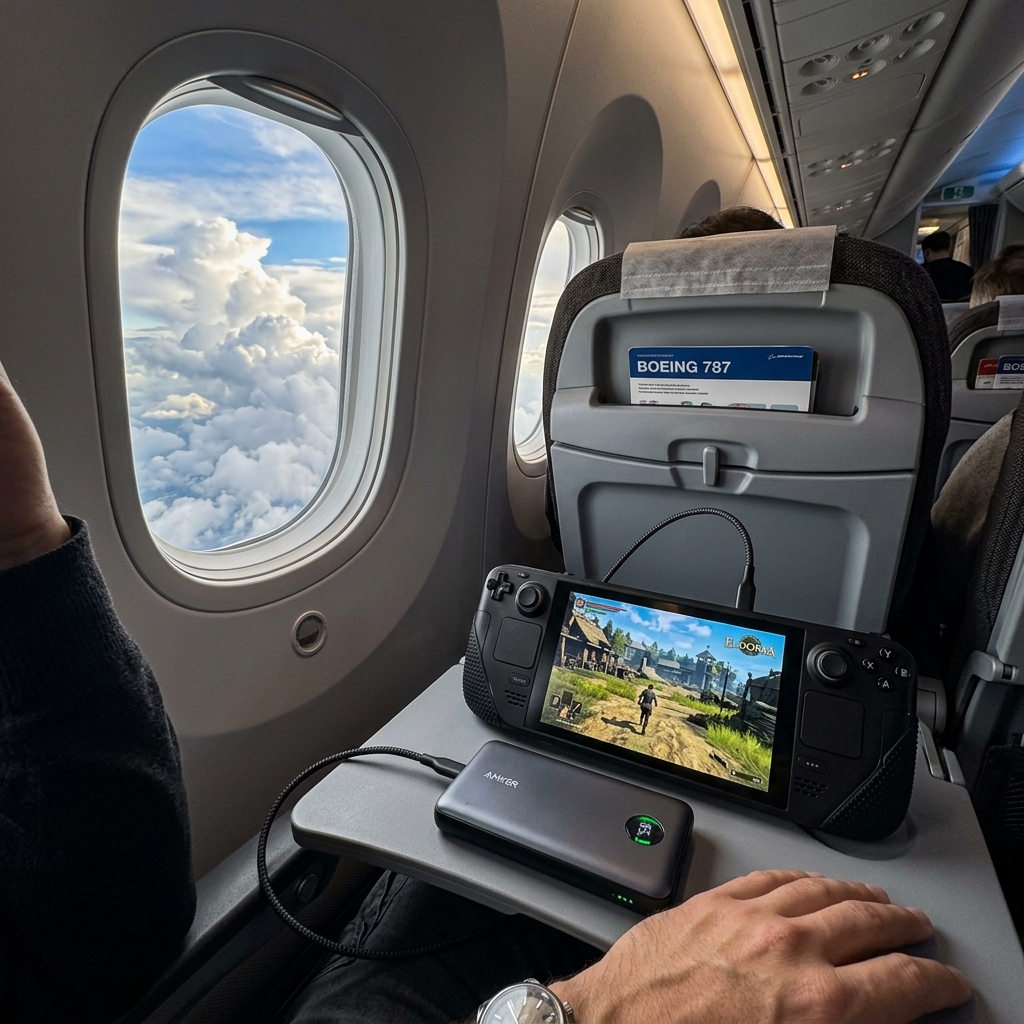
    Playing a portable console like Steam Deck on an airplane flight

    Browse power bank for Steam Deck long flights on Amazon

    The Valve Steam Deck is a marvel of modern gaming, allowing you to play AAA PC titles anywhere in the world. However, this massive processing power comes with a significant drawback: battery life. If you are playing a demanding game like Cyberpunk 2077 or Elden Ring, your Steam Deck will likely die in less than two hours. If you are boarding a 10-hour transatlantic flight, you have a serious problem.

    While some modern airplanes have AC outlets, they are notoriously unreliable and often don’t provide enough wattage to keep the Steam Deck charged while playing. The ultimate solution is a high-capacity, high-output power bank. But you cannot buy just any battery pack. The Steam Deck requires at least 45W of Power Delivery (PD) to charge while in use, and airlines strictly limit the battery size you can bring on board (max 100Wh / ~27,000mAh). We have found the absolute best TSA-approved power banks to keep your Steam Deck alive from takeoff to landing.


    Quick Comparison

    Product Capacity / Max Output Best Feature Link
    Anker 737 Power Bank (PowerCore 24K) 24,000mAh / 140W Best Overall / Smart Display Check Price
    Baseus 65W 20000mAh Power Bank 20,000mAh / 65W Best Budget Pick Check Price
    Shargeek Storm 2 25,600mAh / 100W Premium Cyberpunk Design Check Price
    INIU 65W 25000mAh Power Bank 25,000mAh / 65W Best Value for Max Capacity Check Price
    UGREEN 145W 25000mAh 25,000mAh / 145W Best for Charging Multiple Devices Check Price

    1. Anker 737 Power Bank (Best Overall)

    The Anker 737, also known as the PowerCore 24K, is the absolute gold standard for powering heavy-duty electronics on the go. It hits the perfect sweet spot: it is just under the FAA limit for flights, but packs an enormous punch with 140W of output.

    Why it’s perfect for the Steam Deck:
    The Steam Deck draws a maximum of 45W. The Anker 737 can supply this effortlessly without overheating. It holds 24,000mAh, which will give your Steam Deck approximately 1.5 to 2 full recharges from 0%, adding anywhere from 3 to 6 hours of high-end gaming time. The absolute best feature is the built-in smart LED display, which shows exactly how many watts your Steam Deck is drawing and estimates how much time is left before the battery dies. It completely eliminates battery anxiety on a long flight.

    • 140W max output easily charges the Steam Deck at max speed.
    • Incredible color LED display shows real-time wattage.
    • Charges itself back to 100% very quickly if you have a high-speed wall charger.
    • TSA approved for carry-on luggage.

    View on Amazon

    2. Baseus 65W 20000mAh Power Bank (Best Budget Pick)

    If the Anker 737 is too pricey for your travel budget, Baseus offers an incredibly reliable alternative that still meets all the necessary specifications to keep your Steam Deck running without draining your wallet.

    Why it’s perfect for the Steam Deck:
    It outputs 65W via USB-C PD, which easily clears the Steam Deck’s 45W requirement. This means you can play a heavy game and the battery percentage will still go up. With 20,000mAh, it gives about 1.2 to 1.5 full charges to the Deck. It features a simple but effective digital display showing the remaining battery percentage and has a slim, flat profile that slides easily into a backpack laptop sleeve.

    • Highly affordable compared to premium models.
    • 65W output charges the Deck while playing.
    • Slim, flat design is easier to pack than blocky power banks.
    • Metal casing dissipates heat effectively.

    View on Amazon

    3. Shargeek Storm 2 (Premium Cyberpunk Design)

    If you want a power bank that matches the geeky, tech-enthusiast vibe of the Steam Deck itself, the Shargeek Storm 2 is a showstopper. Featuring a fully transparent casing, you can see all the internal circuitry, control boards, and Samsung battery cells inside.

    Why it’s perfect for the Steam Deck:
    Aside from looking incredible, it is a beast of a charger. It boasts a 25,600mAh capacity—pushing right up to the 100Wh legal flight limit. It outputs 100W, easily covering the Steam Deck. It features a highly detailed IPS screen that provides a deep dive into battery health, temperature, voltage, and output data. It is the ultimate gadget-lover’s travel companion.

    • Unique, transparent cyberpunk aesthetic.
    • Massive 25,600mAh capacity maximizes flight time.
    • Detailed IPS data screen.
    • Excellent thermal management.

    View on Amazon

    4. INIU 65W 25000mAh Power Bank (Best Value for Max Capacity)

    INIU has quietly become one of the most highly rated charging brands on Amazon, known for delivering massive specs at very competitive prices. This model offers an enormous 25,000mAh capacity without the premium price tag.

    Why it’s perfect for the Steam Deck:
    With 25,000mAh, this provides the maximum amount of juice you can bring on an airplane to keep your Steam Deck alive. The 65W output ensures it charges while you game. It features a handy built-in phone holder that pulls out from the side, which is surprisingly useful on an airplane tray table if you switch from the Deck to watching a movie on your phone.

    • Maximized 25,000mAh capacity for long-haul flights.
    • Excellent price-to-capacity ratio.
    • Built-in slide-out phone stand.
    • Includes a high-quality USB-C cable in the box.

    View on Amazon

    5. UGREEN 145W 25000mAh (Best for Multiple Devices)

    If you are traveling with a Steam Deck, a smartphone, and perhaps a laptop or iPad, you need a power bank that can handle multiple high-draw devices simultaneously. The UGREEN 145W is up to the task.

    Why it’s perfect for the Steam Deck:
    It has a total output capacity of 145W. This means you can have your Steam Deck plugged into one port drawing its max 45W, and still have 100W of overhead left to fast-charge a MacBook Pro at the exact same time. It has a massive 25,000mAh battery to back up this heavy power draw, ensuring all your devices survive the flight.

    • 145W total output allows charging a Deck and a laptop simultaneously.
    • Huge 25,000mAh capacity.
    • High-quality, matte space-grey finish.
    • Smart power distribution between ports.

    View on Amazon


    Buying Guide: Power Banks and Airplane Rules

    Close-up of a high-tech power bank showing 100 percent battery

    Before you buy a massive battery and head to the airport, there are strict rules and technical requirements you must understand.

    1. TSA and FAA Regulations (The 100Wh Limit)

    Aviation regulations stipulate that you cannot bring a lithium-ion battery larger than 100 Watt-hours (Wh) onto an airplane without special airline approval. In milliamp-hours (mAh), this translates roughly to 26,800mAh to 27,000mAh. All the power banks on this list fall under this limit and are perfectly legal to bring in your carry-on luggage. Never put a power bank in checked luggage in the cargo hold.

    2. The 45W Output Rule

    The Steam Deck’s official charger provides 45W of power. If you buy a cheap power bank that only outputs 15W or 20W, the Steam Deck will display a “Slow Charger” warning. If you are playing a game, the battery will still drain because it is using power faster than the cheap power bank can refill it. You must buy a power bank with at least 45W of USB-C Power Delivery (PD).

    3. Don’t Forget the Cable!

    A 100W power bank is useless if you use a cheap gas-station cable that only supports 15W. You must use a USB-C to USB-C cable that is rated for high wattage (look for cables rated for 60W or 100W data/power transfer). Many of the premium power banks above include a compatible cable in the box.


    Frequently Asked Questions

    How many extra hours of gameplay will a 24,000mAh power bank give me?
    The Steam Deck has a ~5,300mAh battery (40Wh). Because of energy lost to heat during transfer, a 24,000mAh power bank will give you about 1.5 to 1.8 full charges. If a heavy game lasts 2 hours on the Deck’s battery, the power bank will add roughly 3 to 3.5 extra hours, giving you over 5 hours total.

    Can I charge the Steam Deck while playing?
    Yes. As long as your power bank outputs 45W or more, the power bank will directly run the system and trickle charge the internal battery simultaneously.

    Why is my power bank draining so fast?
    Converting voltages and pushing power generates heat, which is wasted energy. Power banks are only about 70-80% efficient. Also, if your screen brightness is maxed out and you are running a game at 60FPS, it draws maximum power.


    Conclusion

    A long flight is the perfect opportunity to finally tackle your Steam backlog, provided you have the right equipment. To avoid the heartbreak of a black screen over the Atlantic Ocean, invest in the Anker 737 Power Bank. Its smart display and flawless 140W delivery make it the absolute best companion for the Steam Deck. If you are on a budget, the Baseus 65W will get the job done reliably. Grab your cables, download your games, and enjoy your flight!

    Related travel tech guides

  • 5 Best Bone Conduction Headphones for Small Heads in 2026

    5 Best Bone Conduction Headphones for Small Heads in 2026

    Disclosure: As an Amazon Associate, I earn from qualifying purchases. This article includes affiliate links, which means I may earn a commission if you buy through them, at no extra cost to you.

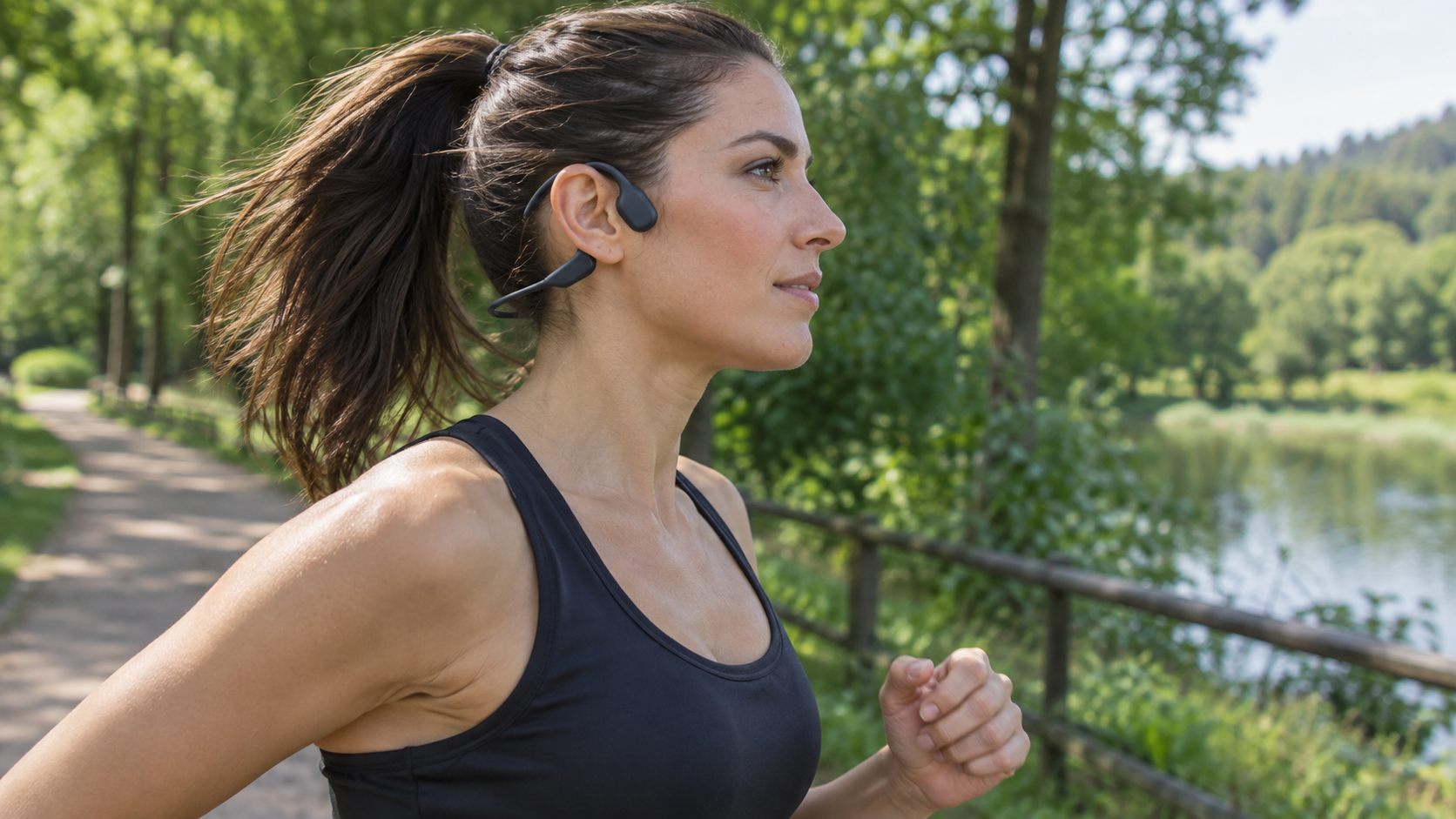
    Female runner with small head wearing bone conduction headphones outdoors

    Browse bone conduction headphones for small heads on Amazon

    Bone conduction headphones have revolutionized how we listen to audio while running, cycling, or working in the office. By transmitting sound vibrations directly through your cheekbones to your inner ear, they leave your ear canal completely open, allowing you to hear traffic, nature, and your surroundings perfectly. It is the ultimate fusion of safety and entertainment.

    However, there is a catch: most bone conduction headphones are manufactured with a “one size fits all” titanium band that wraps around the back of the neck. If you have a smaller head size—whether you are a petite adult, a teenager, or just have a narrower skull—the standard band will protrude far past the back of your head. This bounce wildly when you run, interfere with hoodie collars, and push the transducers out of alignment, ruining the sound quality. Fortunately, top brands have recognized this issue and released specialized “mini” or highly adjustable versions. Here are the best bone conduction headphones specifically designed for smaller heads.


    Quick Comparison

    Product Best Feature Band Design Link
    Shokz OpenRun Mini Best Overall / Perfect Small Fit Shorter Titanium Band Check Price
    Shokz OpenMove Best Value Pick Standard (Snug clamping force) Check Price
    Mojawa Run Plus Best for Swimming & Running Ergonomic Snug Fit (IP68) Check Price
    YouthWhisper Bone Conduction Best Budget / Kids & Teens Specifically Sized for Kids/Teens Check Price
    Tayogo Bone Conduction Good Cheap Alternative Flexible Silicone Band Check Price

    1. Shokz OpenRun Mini (Best Overall)

    Shokz (formerly AfterShokz) is the undisputed pioneer and market leader in bone conduction technology. Recognizing the complaints from users with smaller heads, they released the “Mini” version of their flagship OpenRun headphones, and it is a masterpiece of ergonomic design.

    Why it’s perfect for small heads:
    The OpenRun Mini contains the exact same premium audio technology, battery life, and waterproofing as the standard OpenRun, but the titanium wraparound band is exactly 0.83 inches (2.1 cm) shorter. This eliminates the annoying gap at the back of the head. It sits flush against the neck, meaning you can tilt your head back, wear high-collared jackets, or lie down on a bench press without the headphones shifting forward and losing sound contact.

    • Specifically engineered shorter band for a perfect, secure fit.
    • IP67 waterproof rating (withstands heavy sweat and rain).
    • 8-hour battery life with quick charge feature.
    • Premium audio quality with PremiumPitch 2.0+ technology.

    View on Amazon

    2. Shokz OpenMove (Best Value)

    If you want the trusted Shokz brand quality but cannot justify the premium price tag of the OpenRun Mini, the OpenMove is their entry-level model. While it only comes in one size, its geometry makes it surprisingly well-suited for smaller heads.

    Why it’s perfect for small heads:
    The OpenMove has a slightly different clamping mechanism and a tighter inward curve compared to standard models. Many users with small heads report that while there might still be a slight gap at the back, the clamping force on the cheekbones is highly secure. It grips firmly enough that it does not bounce during light jogging or gym workouts.

    • Excellent entry-level price for premium brand technology.
    • Strong, secure clamping force prevents slipping.
    • Charges via standard USB-C (very convenient).
    • 6-hour battery life.

    View on Amazon

    3. Mojawa Run Plus (Best for Swimming & Running)

    Mojawa is a rising star in the bone conduction space, founded by former Apple engineers. The Run Plus is their flagship model, designed for triathletes who need a headset that transitions seamlessly from the running trail into the swimming pool.

    Why it’s perfect for small heads:
    The Mojawa Run Plus has an incredibly refined, ergonomic titanium band that sits very close to the skull. It is highly flexible and exerts a gentle but secure pressure. Because it is designed to be worn under a tight swimming cap while doing laps in a pool, the profile is inherently low and tight, making it a fantastic choice for smaller heads.

    • IP68 fully waterproof (can be completely submerged for swimming).
    • Built-in 32GB MP3 player (Bluetooth doesn’t work underwater).
    • Very snug, low-profile design ideal for smaller skulls.
    • Excellent bass response for bone conduction.

    View on Amazon

    4. YouthWhisper Bone Conduction (Best Budget / Kids & Teens)

    As the name suggests, YouthWhisper specifically targets the demographic that traditional bone conduction brands ignore: kids, teenagers, and petite adults. If you are struggling to find a fit anywhere else, this is your solution.

    Why it’s perfect for small heads:
    These headphones are physically scaled down. The band is significantly shorter and the over-ear hooks have a tighter radius. They are incredibly lightweight, meaning they won’t weigh down or cause ear fatigue on smaller frames. They are perfect for children who want to listen to music but need to remain aware of traffic while riding their bikes.

    • Specifically sized down for youths and petite adults.
    • Very budget-friendly.
    • Extremely lightweight and comfortable.
    • Great safety device for kids outdoors.

    View on Amazon

    5. Tayogo Bone Conduction (Good Cheap Alternative)

    Tayogo offers a highly flexible, budget-conscious alternative to the big premium brands. While the sound quality won’t satisfy a hardcore audiophile, it is more than adequate for listening to podcasts and gym playlists.

    Why it’s perfect for small heads:
    Unlike rigid titanium bands, the Tayogo utilizes a highly flexible silicone and plastic blend. It molds and bends much easier. While it might still have a small gap at the back, the flexibility allows you to easily wear it over a hat or pair it with thick sunglasses without it pinching or feeling rigidly locked in a bad position.

    • Very affordable entry point into bone conduction.
    • Highly flexible band accommodates hats and glasses well.
    • Decent battery life for the price.
    • Good for casual listening and podcasts.

    View on Amazon


    Buying Guide: Fitting Bone Conduction Headphones

    Close-up of bone conduction headphones flexing to show band elasticity

    Buying bone conduction headphones requires understanding how the technology interacts with your facial anatomy. If they do not fit correctly, the sound quality drops dramatically.

    1. Measuring Your Head for “Mini” Sizes

    Shokz provides a simple measuring trick to see if you need the “Mini” size. Take a flexible tailor’s measuring tape (or a piece of string). Measure from behind the midpoint of your left ear, around the back of your head, to behind the midpoint of your right ear. If the measurement is less than 9.25 inches (23.5 cm), you absolutely need a Mini size model. A standard size will bounce and shift.

    2. The Importance of Clamping Force

    Because these do not go inside your ear canal, they rely on gentle pressure (clamping force) against your cheekbones to transmit vibrations. If the band is too big, the headphones will droop, pulling the vibrating pads away from the optimal sweet spot just in front of your ear. A proper fit ensures maximum bass and volume.

    3. Wear with Glasses and Helmets

    Bone conduction headphones hook over the top of the ear—the exact same place your glasses or sunglasses sit. If you have a small head, the real estate behind your ear is limited. Look for models with very thin, contoured ear hooks (like the Shokz models) so they don’t battle with your glasses frames for space.


    Frequently Asked Questions

    Are bone conduction headphones safe for kids?
    Yes, they are generally considered safer than earbuds. Earbuds blast sound directly against the eardrum, which can cause hearing damage if turned up too high. Bone conduction bypasses the eardrum entirely. Furthermore, they keep the ears open, allowing kids to hear cars and traffic while riding bikes.

    Do they leak sound? Can others hear what I’m listening to?
    At moderate volumes, no. However, at maximum volume, bone conduction headphones will “leak” a tinny, high-pitched sound. If you are sitting in a dead-silent library next to someone, they might hear a faint buzzing. But in a gym or outdoors, no one will hear them.

    How is the bass response?
    You must manage your expectations. Because they don’t seal the ear canal, bone conduction headphones will never have the booming, chest-thumping bass of traditional over-ear headphones. The sound is clear and crisp, but lacks deep sub-bass. You will actually “feel” heavy bass lines as a vibration tickle on your cheekbones!


    Conclusion

    Stop settling for standard headphones that flop around the back of your neck. Having a proper fit is the difference between enjoying your run and constantly adjusting your headset. For anyone with a smaller head size, the Shokz OpenRun Mini is arguably the most perfect piece of audio gear you can buy. The exact engineering of the shorter band provides an uncompromising, rock-solid fit. Stay safe, stay aware, and enjoy the music!

    Related travel tech guides

  • Travel Tech Organizer Essentials for Digital Nomads

    Travel Tech Organizer Essentials for Digital Nomads

    Affiliate disclosure: As an Amazon Associate I earn from qualifying purchases. This guide uses affiliate links to Amazon.com.

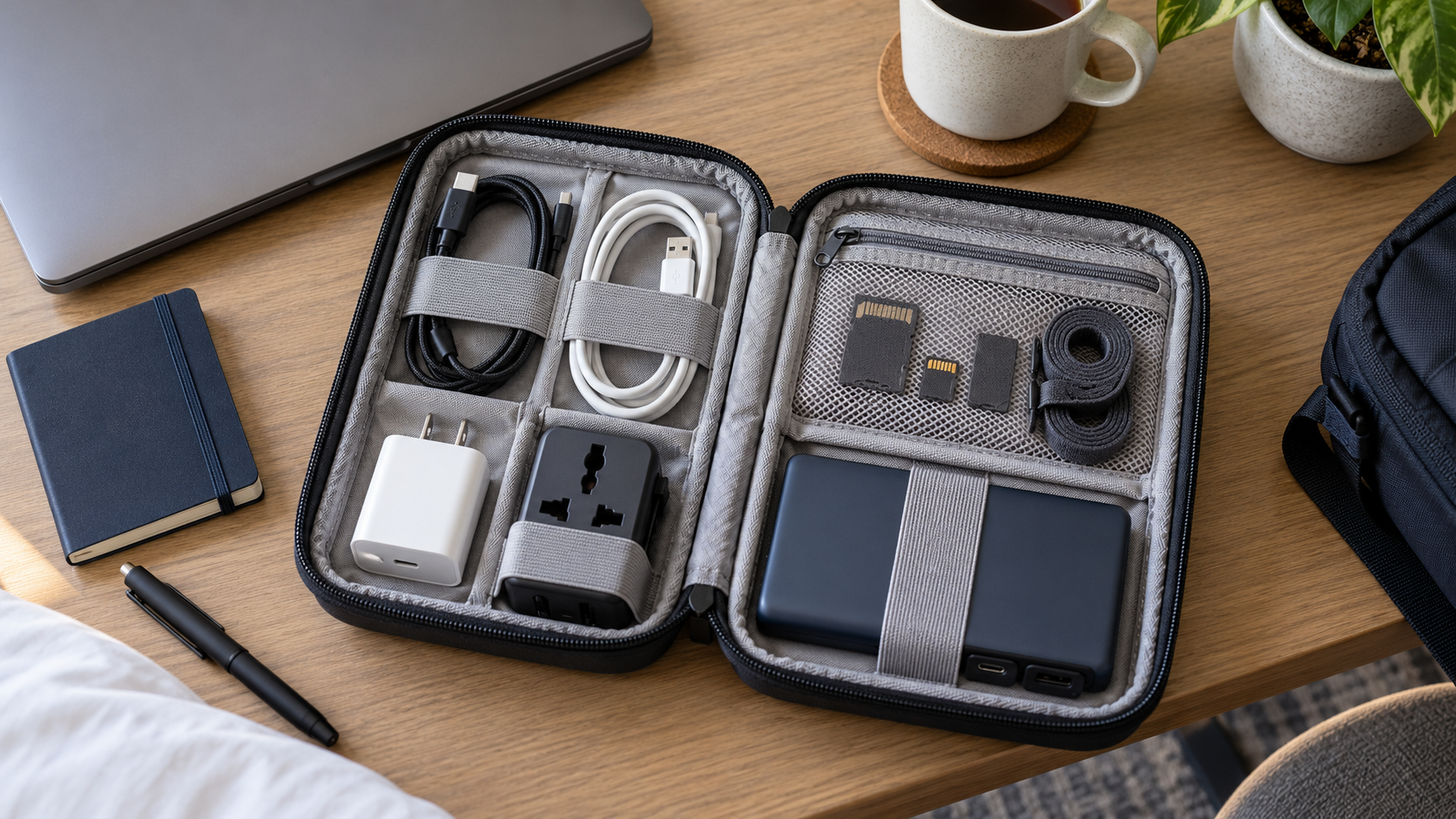
    A travel tech organizer keeps chargers, adapters, cables, and small accessories visible when a bag is opened. The best setup is compact enough for the trip, easy to inspect before checkout, and arranged so essential charging gear can be reached without unpacking the whole bag.

    Electronics organizer case

    A good tech case has elastic loops, mesh pockets, and enough depth for a charger block. Choose a slim case for backpacks and a hard case when gear may be crushed in luggage.

    Search electronics organizer cases on Amazon

    Reusable cable ties

    Cable ties stop cords from knotting together. They also make it easier to notice when a cable is missing before you leave a hotel or coworking space.

    Search travel cable ties on Amazon

    Power bank pouch

    A power bank should not float loose next to keys or pens. A pouch protects ports and keeps the charging cable with the battery.

    Search power bank pouches on Amazon

    USB-C cable organizer

    If most of your devices use USB-C, use one dedicated pouch or loop section for those cables. Separating USB-C from older cables reduces rummaging.

    Search USB-C cable organizers on Amazon

    FAQ

    What should go in a travel tech organizer?

    Pack only the cables and adapters used on that trip, plus one backup charging cable. Avoid carrying every cable you own.

    Is a hard shell organizer worth it?

    A hard shell is useful for checked luggage or camera-style gear. For a daily backpack, a soft slim organizer usually saves space.

    Build the Kit Around Your Devices

    List the devices you will actually use during the trip and write the connector beside each one. A phone, laptop, watch, headphones, and camera may require fewer cables than expected when several devices share USB-C. Pack by device and power requirement rather than taking every cable from a drawer.

    • Choose a charger with enough output for the largest device you plan to charge.
    • Check whether the destination requires a plug adapter or voltage converter.
    • Carry one dependable backup cable for the connector used most often.
    • Label similar-looking cables when their charging or data capabilities differ.

    What to Look for in an Organizer Case

    Start with the dimensions of the largest item, normally a charger or power bank. Elastic loops should hold cables without sharply bending the connectors. Mesh pockets are useful for adapters and memory cards, while a zippered pocket keeps very small items from escaping when the case is opened.

    A case with two shallow layers is often easier to scan than one deep compartment. A light-colored interior can make black adapters easier to see. If the organizer will live inside a carry-on, choose a size that can be removed quickly during security checks and returned to the same location afterward.

    Pack Power Banks Safely

    Airline and security rules for spare lithium batteries can change, so check the current requirements for every carrier before travel. Keep a power bank where its ports cannot be crushed by hard objects, and do not pack a battery that is swollen, damaged, unusually hot, or recalled. Avoid loose metal items near exposed connectors.

    Capacity markings should remain readable because airport staff may need to inspect them. For long flights and gaming devices, compare charging output as well as capacity in our guide to power banks for Steam Deck travel.

    Use a Consistent Packing Layout

    Give every item a permanent position. Place frequently used charging gear on one side and occasional adapters on the other. Wind cables in a loose circle instead of folding them sharply, then secure them with reusable ties. A small inventory card inside the case can prevent leaving an adapter in a hotel socket or a cable beside the bed.

    Pre-Departure Tech Check

    • Charge the power bank and all essential devices.
    • Test every cable with the device it is intended to charge.
    • Download offline tickets, maps, and authentication backup codes where appropriate.
    • Remove unnecessary memory cards or drives containing sensitive information.
    • Count the items when packing and repeat the same check before leaving each location.

    A travel organizer should reduce decisions, not become another heavy piece of luggage. When a cable or adapter has no planned use on the trip, leave it at home.