As an Amazon Associate I earn from qualifying purchases.
A desk without drawers can feel cluttered quickly because every small item competes for the same flat surface. The answer is not to cover the desktop with more containers. To organize a small desk with no drawers, give each type of item a clear zone, keep the daily tools within reach, and move less-used items upward, downward, or off the desk entirely.
This approach works for a compact home office, a bedroom corner, or a shared table. It also helps when you cannot add permanent furniture. Start by protecting the space where you actually work, then add only enough storage to keep your essentials from migrating across the desk.
Measure the Usable Work Surface First
Before choosing organizers, clear the desk and measure the width and depth that remain after the monitor, keyboard, and lamp are in place. This is your usable work surface. A tray or monitor riser that looks compact in a product photo can be too deep for a shallow desk, so make decisions from your own measurements.
Next, make three small groups: items used every day, items used once or twice a week, and items that only need to live near the desk. Everyday tools deserve a place on the surface. Weekly items can go on a shelf, in a nearby drawer, or in a small under-desk solution. Everything else should leave the desktop.
Create Five Simple Desk Zones
1. The screen zone
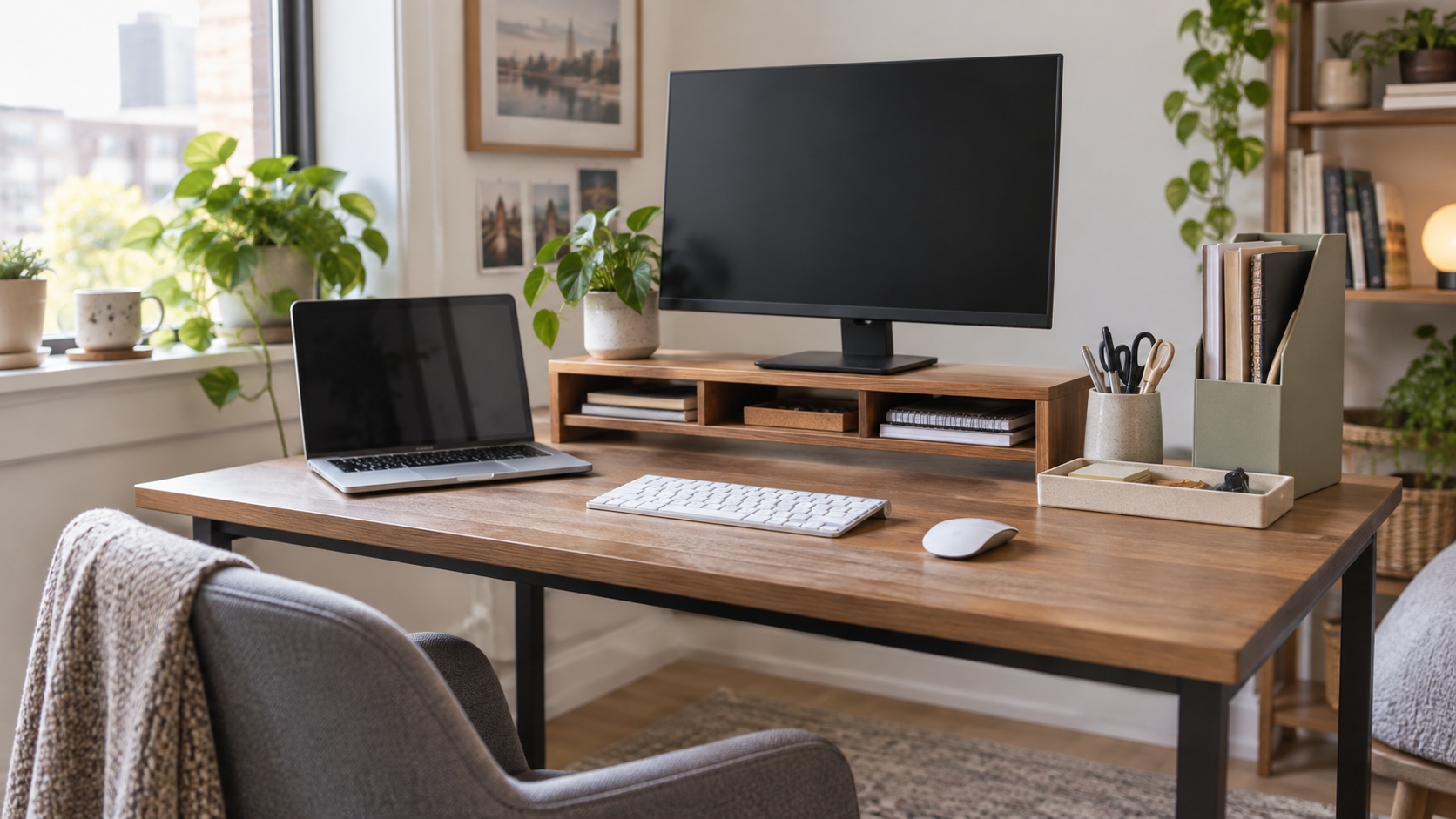
Keep the monitor or laptop setup visually calm by placing only display-related items here. A monitor riser with open cubbies can create a place for a notebook or external drive without turning the screen area into a pile. Compare the clearance, width, and storage shape in our monitor stands with storage guide.
2. The input zone
Your keyboard, mouse, and writing area need the most clear space. Avoid placing a tall pen cup, phone stand, or paperwork directly beside the mouse if it limits movement. If you write by hand often, reserve one side of the keyboard for a notebook rather than storing it under a stack of accessories.
3. The quick-access zone
A shallow tray is ideal for the few items you reach for many times a day: pens, sticky notes, glasses, or an adapter. The key word is shallow. A deep bin invites every random object to disappear inside it. Use one tray, then reset it at the end of the day.

4. The paper zone
Paper creates visual noise faster than almost anything else. Use a vertical holder for current folders, mail that needs action, and a single notebook. Put completed paperwork somewhere else. A vertical holder uses the height of the desk instead of consuming the working area in front of you.
5. The charging zone
Choose one edge of the desk for charging so cables do not cross the keyboard area. A small charging tray can hold a phone and earbuds while a clip guides the connector to the same spot each time. If cables are the main source of clutter, pair this system with the steps in Cable Management Basics for Home Offices.
Use Height Before You Use More Width
Small desks have limited horizontal space but often have room above, behind, and beneath them. A monitor riser, vertical file holder, wall shelf, or narrow rolling cart can keep supplies nearby without turning the desktop into storage. The best option depends on what you use most: a riser is helpful for notebooks and slim accessories, while a vertical holder makes more sense for documents.
For items that do not need to be visible, look below the desk. A modest storage solution can hold spare cables, cleaning cloths, or a backup notebook without adding another desktop bin. Our under-desk storage solutions guide can help you compare the available space before adding anything.
Choose Organizers That Solve One Job
Good organizers have a defined purpose. A pen cup keeps writing tools together. A file holder keeps active papers upright. A tray gives small accessories a return point. A monitor riser creates clearance. When one organizer tries to store papers, chargers, snacks, cables, and stationery together, it becomes a hiding place rather than a system.
Keep the number of desktop organizers low. On a narrow desk, one tray, one vertical holder, and one small riser are often enough. You can find more fit-and-function ideas in our desk organization products guide, but start with the problem you are trying to remove.
Use a Two-Minute Reset
Organization lasts when returning an item is faster than leaving it out. At the end of a work session, place pens in the tray, stand papers in the file holder, return the charger to its edge, and clear the keyboard area. This takes less time than a full cleanup and prevents a small desk from becoming overwhelming by the end of the week.
If a tool repeatedly has no home, change the system instead of blaming your habits. Maybe the tray is too small, the charging point is too far away, or the item does not need to live on the desk at all. A small workspace stays useful when its layout follows your routine.
What to Avoid on a Drawerless Desk
- Deep catch-all bins that hide useful items
- Multiple matching containers with no assigned purpose
- Large decor that takes the only writing space
- Paper stacks that do not have a next action
- Chargers and adapters spread across the front edge
The goal is not a showroom. It is a desk where you can open a laptop, find a pen, write a note, and put everything away again without shifting piles.
Browse compact desk-organization options: See current options on Amazon.